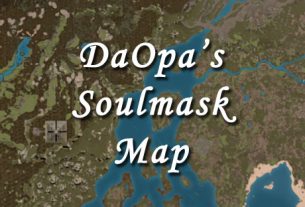
Welcome to the interactive Soulmask Shifting Sands DLC Map, brought to you by DaOpa! Explore the massive new Egyptian-themed desert world of Soulmask’s latest DLC with our fully interactive map. Click on any marker or icon to reveal detailed tooltips packed with coordinates, level ranges, descriptions, and in-game IDs.
Our Soulmask Shifting Sands interactive map includes powerful tools to make exploration easier: a search button at the top left to instantly locate specific items, resources, locations, landmarks, or animals, plus a one-click fullscreen mode for the ultimate immersive experience. The dynamic legend on the right lets you toggle every category of point of interest – Ancient Pyramids, Ancient Ruins, Mysterious Ruins, Beast Lairs, Barbarian Camps, Barracks, Pits, Dungeons, Portals, Airship Camps, Arenas, and more.
This map is a living, work-in-progress project. New areas, markers, and updates are being added regularly as the community explores the full Shifting Sands DLC. Your feedback helps us improve and expand the map faster – drop your suggestions anytime!
Custom Map Markers
Add, manage, and share your personal markers on this map
Data Privacy Notice
Markers are stored in your browser's local storage and are only visible to you unless shared. Do not include sensitive information.
Your Saved Markers
Markers are stored locally or loaded from shared links
How to Use the Soulmask Shifting Sands Interactive Map
Our Leaflet-powered interactive map is designed to be simple yet extremely powerful. Here’s exactly what every button and menu does:
Top Left Corner Buttons
Search Button – Click the magnifying glass icon to open the search bar. Type the name of any location, resource, animal, landmark, dungeon, or point of interest and the map will instantly highlight and zoom to matching markers. This is the fastest way to find exactly what you need.
Fullscreen Button – Click this icon to expand the map to full-screen mode for maximum immersion. Click it again (or press Esc) to return to normal view.
Zoom Controls – Use the + and – buttons to zoom in and out. You can also scroll with your mouse wheel or use pinch-to-zoom on touch devices.
– Maximize Map In this window, so instead of doing a full screen, it will fill this browser window
Right Side Menu – Legend & Layer Controls
The panel on the right side of the map is your complete Legend and Layer Control. It gives you full control over what appears on the map:
- Click any group name (or the small arrow) to expand or collapse that category.
- Check or uncheck the box next to each group to show or hide all markers of that type instantly.
- You can turn entire categories on or off — for example: hide all animals to reduce clutter, show only Pyramids and Dungeons, or display just Resources and Campfires.
- Some groups start collapsed or hidden by default so the map doesn’t feel overwhelming when you first open it. You can open any group at any time.
Each icon in the legend represents a different type of point of interest (Ancient Pyramids, Beast Lairs, Barbarian Camps, etc.). Hovering over the legend icons also shows you what each symbol means.
Frequently Asked Questions (FAQ)
Q: Is this map specifically for the new Shifting Sands DLC?
A: Yes – this is the official interactive map built exclusively for the Soulmask Shifting Sands DLC (the new Egyptian desert world).
Q: How do I find a specific location or resource quickly?
A: Use the search button in the top left corner and type the name. The map will zoom straight to it.
Q: Why are some marker groups collapsed or hidden by default?
A: To keep the map clean and easy to read at first glance. You can expand or show any group using the right-side legend menu.
Q: Will the map be updated with new content?
A: Absolutely. This is a living map — new markers, locations, and features are added regularly as more of the Shifting Sands DLC is discovered.
Q: Can I suggest new markers, fixes, or missing locations?
A: Yes! Your feedback is extremely valuable. Drop your suggestions in the live stream chat or in the comments section below and we’ll add them as quickly as possible.
Q: Does the map work on mobile devices?
A: Yes, the map is mobile-friendly, but for the best experience we recommend using a desktop or laptop computer.
Q: How do I copy coordinates from the map?
A: Click any marker to open its tooltip, or use the coordinate tool at the bottom of the map to get precise lat/lng values.
Enjoying our Soulmask Shifting Sands interactive map? Support our ongoing work by subscribing to the live stream or sending bit tips directly from the embedded player below. Your support helps us keep expanding and updating the Shifting Sands DLC map with new markers and features.
Have questions about Soulmask Shifting Sands, the new DLC map, or any of our interactive tools? Drop them in the stream chat or comments section below. We love hearing from the community!