Unlock Epic Rewards: No Man’s Sky Voyagers Twitch Drops Campaign Guide
Welcome, Travellers! The highly anticipated Voyagers update (version 6.0) for No Man’s Sky has just launched, bringing revolutionary features like fully customizable Corvette-class starships, multi-crew gameplay, and new multiplayer missions. To celebrate, Hello Games has kicked off their eleventh Twitch Drops campaign, running from August 28th to September 1st, 2025. By watching participating streams, you can unlock exclusive in-game rewards ranging from decals and fireworks to unique companions and starships. This guide will walk you through everything you need to know, with interactive elements to make planning your drops a breeze.
What’s New in the Voyagers Update?
The Voyagers update transforms your spacefaring experience. Assemble your own starship from hundreds of modules, design interiors, and invite friends aboard for shared adventures. It includes a new community expedition focused on ship-building, Outlaw-inspired habitation modules, and the ability to step directly into space from your ship. This free update is available now across all platforms.
How to Participate in Twitch Drops
- Link your No Man’s Sky platform account (Steam, PlayStation, Xbox, Nintendo, or GOG) to your Twitch account at cloud.nomanssky.com.
- Head to Twitch and watch No Man’s Sky streams tagged with “Drops Enabled” in the No Man’s Sky category.
- Watch for the required times to unlock rewards – progress is tracked automatically.
- Claim your drops on Twitch within 24 hours, then redeem them in-game via the Quicksilver store on the Space Anomaly.
Note: You don’t need Twitch Prime. Watching multiple streams at once doesn’t stack progress – stick to one at a time.
Countdown to First Drop
Daily Rewards Interactive Viewer
Day 1: August 28th (9:00 AM EDT)
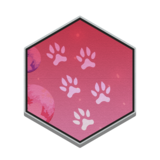
15 Minutes
Pawprints DecalAdorn your gear with cute pawprints!
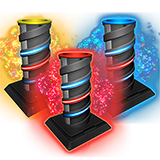
15 Minutes
Atlas Firework PackLight up the sky with Atlas fireworks!
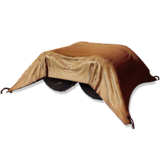
30 Minutes
Covered SilosFunctional base parts for storing resources in style.
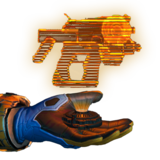
1 Hour
Hologram: Multi-ToolA holographic display of your favorite multi-tool.
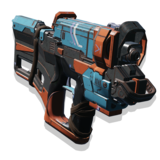
2 Hours
Kalimskyv’s Raycast AnalyserAn A-Class Multi-Tool perfect for scanning and mining.
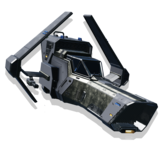
3 Hours
Sword of the RibetsusA sleek A-Class Fighter for dominating space battles.
Day 2: August 29th (9:00 AM EDT)

15 Minutes
Awakenings DecalCelebrate your journey’s start with this decal.
15 Minutes
Atlas Firework PackLight up the sky with Atlas fireworks!
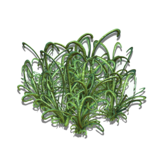
30 Minutes
Looping GrassDecorative flora for your bases.
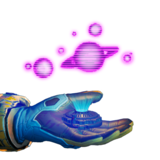
1 Hour
Hologram: SystemA holographic star system display.
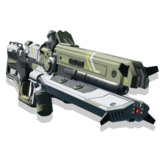
2 Hours
Negative Ion PuncherPowerful A-Class Multi-Tool.
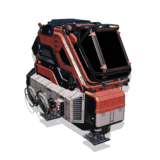
3 Hours
Bukaidor Prospector XIIReliable A-Class Shuttle.
Day 3: August 30th (9:00 AM EDT)
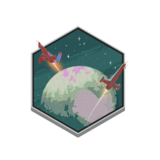
15 Minutes
To The Stars DecalInspirational decal for aspiring explorers.
15 Minutes
Atlas Firework PackLight up the sky with Atlas fireworks!
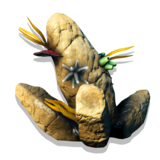
30 Minutes
Aquatic ColonyUnderwater base decoration.
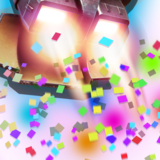
1 Hour
Festive Jetpack TrailColorful trail for your jetpack flights.

2 Hours
G. Lyconatae CompanionA loyal aquatic pet companion.
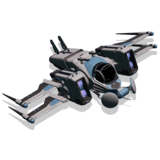
3 Hours
Magnificent Omen T09Agile A-Class Explorer starship.
Day 4: August 31st (9:00 AM EDT)
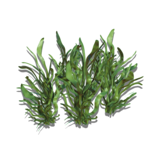
15 Minutes
Ribbon GrassElegant grass decoration for your bases.
15 Minutes
Atlas Firework PackLight up the sky with Atlas fireworks!
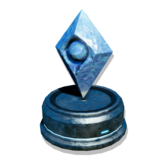
30 Minutes
Ice Atlas StatueFrozen statue honoring the Atlas.
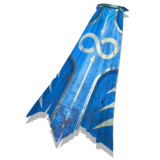
1 Hour
Whalestalker CloakMysterious cloak inspired by space whales.
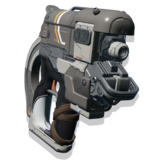
2 Hours
Gleaming Light InjectorUnique multi-tool for your traveller.
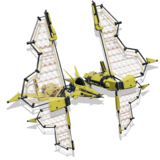
3 Hours
Oomoribe’s Halcyon War-SpearEfficient A-Class Solar starship.
Day 5: September 1st (9:00 AM EDT)
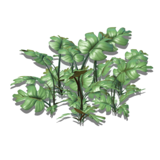
15 Minutes
Cloven Paw GrassUnique grass variant for your bases.
15 Minutes
Atlas Firework PackLight up the sky with Atlas fireworks!
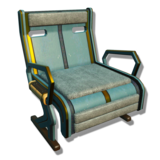
30 Minutes
Classic ChairComfortable seating for your base.
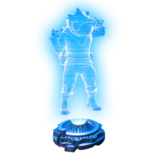
1 Hour
Holographic FriendA holographic companion to keep you company.
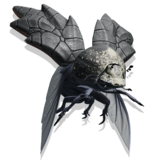
2 Hours
A. Chilinjosa CompanionAdorable creature companion.
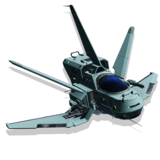
3 Hours
Speedy Noichir VFast A-Class Fighter starship.
Launch into Adventure!
Don’t miss out on these limited-time rewards. Start watching tomorrow and build your collection. For more on the Voyagers update, explore the interactive patch notes below or visit the official page.
Interactive Voyagers Patch Notes (Version 6.0)
Corvette-class Starships
- Added a new class of starship, the Corvette. Corvettes are large, fully bespoke ships with furnished interiors, capable of accommodating multiple passengers.
- A lightweight tutorial for assembling your first Corvette will activate upon first collecting a Corvette module or interacting with the Corvette Workshop.
- A large catalogue of snappable structural and decorative modules is available for Corvette assembly, including habitation modules, hulls, wings, engines, windows, accessways, weapons, reactors, shield generators, connectors and decorative peripherals.
- Corvette modules can be unearthed from salvage containers buried on worlds across the universe, as well as discovered in Derelict Freighters.
- Modules can also sometimes be retrieved from defeated pirates, freighter cargo pods, crashed freighter crates, frigate expeditions, or received as rewards for completing missions.
- Structural Corvette modules are collected individually in the inventory and spent directly when assembling a Corvette.
- While standing within a Corvette, specialised furnishings and a selection of base decorations can be installed in the ship’s interior. Internal modules can be installed without limitation, but require resources to construct.
- Habitation modules (“habs”) form the main living area for Corvette-class starships. Habs are available in three distinct classes: Titan, Thunderbird, and Ambassador, each with its own sci-fi aesthetic. Installed furnishings reflect the style of their hab, and multiple habs placed adjacently are automatically linked with doorways.
- Multi-storey Corvettes can be assembled with the installation of internal stairways.
- Several installable Corvette modules have practical functionality, such as the Living Wall, Nutrition Unit, Refiner Unit and Mission Radar.
- A number of Corvette modules are linked to technology upgrades, automatically improving the Corvette’s stats alongside its appearance.
- Corvette Workshop terminals can be found aboard the Space Station. These terminals provide an interface through which collected Corvette modules can be assembled into a pilotable, habitable starship.
- The terminal also provides access to a shop for purchasing basic Corvette modules, and a barter interface for trading advanced Corvette modules.
- The Corvette Workshop can store a draft Corvette, allowing work-in-progress edits to be saved and returned to at a later time.
- A nearby cache will collect any overflow of refunded Corvette modules if there are too many to store in the player’s inventory.
- The Corvette benefits from an especially powerful pulse drive, which moves faster than single-occupancy ships.
- Corvettes can autopilot to space stations, discovered planets, and mission destinations.
- Corvettes can also be set to autopilot along the current flightpath.
- Corvette accessways are accompanied by a specialised teleporter, allowing the ship to hover above especially mountainous or difficult terrain, while passengers beam themselves to and from the planetary surface.
- Added support for multiple physics worlds, enabling players to travel stably and walk on foot around fast-moving Corvettes.
- Spacewalking is now a fully supported mode of navigation, allowing players to leave their ships (or freighters) and use their jetpack to fly among the stars.
- Added a number of Corvette-specific visual effects for engines and landing.
- Added new audio effects and ambient environments for Corvettes.
- Added specialised camera handling for piloting Corvettes and navigating their interiors.
Corvette Multiplayer Missions
- Added a Corvette-based mission board, allowing players on board the Corvette to register as mission crew to co-operatively complete objectives in the local system and earn rewards and standing.
Corvette Expedition
- Expedition Nineteen, Corvette, will begin shortly and run for approximately six weeks.
- Rewards include new posters, decals and titles, the vigilant jetpack trail and plasma starship trail, an exclusive deadeye cannon module for Corvettes, and the unique Mecha-Mouse robotic companion.
Skyborn Exosuit and Jetpack
- Added the 5-piece Skyborn Exosuit to the Appearance Modifier, including armour, gloves, boots, legs and torso customisations.
- Added the Skyborn Jetpack to the Appearance Modifier.
Twitch Drops
- A new package of Twitch drops will begin shortly. Sign up and connect your platform accounts on the Twitch Drops page, then tune in to Twitch to earn exotic base parts, high-tech starships, fireworks, appearance modifications, and more.
Gameplay and Quality of Life
- Implemented support for rebinding controls on console.
- Rearranged a number of input bindings in the controls menu for improved usability.
- Added a graphics option to adjust the strength of blurring / light scattering on distant objects in underwater environments.
- On PC and MacOS, added text translations for system-level dialog boxes (for example, when the operating system reports a graphics driver error).
- Improved the visibility of the “Switch Base” control, for selecting which base to edit while within the perimeter of multiple planetary bases, or within both a planetary base and a Corvette.
- Added the ability to copy and paste No Man’s Sky Friend Codes on PC and MacOS.
- Improved the appearance of several dialog boxes on the boot and pause screens.
- Added “scroll on hover” functionality to a number of UI buttons that could overspill in non-English languages.
- Improved the mouse scroll speed in the base building menu.
- Increased the number of planets featuring buried ancient bones.
- Increased the number of planets featuring buried salvageable scrap.
- Salvageable scrap containers are no longer guarded by corrupt Sentinels.
- Prevented Echo Locator hint notifications from appearing when a harmonic camp was already locally marked, or while within the perimeter of a camp.
- Improved the system for displaying the estimated remaining time to a destination on HUD markers, resulting in much more accurate time estimates and tick-down speed.
- The landing pad readout at the Space Anomaly now indicates where your ship is docked, and accurately reflects landing space availability.
- Robotic creatures now lay metal eggs.
Rendering
- Added support for NVIDIA DLSS4. Deep Learning Super Sampling is a revolutionary suite of neural rendering technologies that uses AI to boost FPS, reduce latency, and improve image quality.
- Added support for PlayStation® Spectral Super Resolution (PSSR), improving image clarity using AI-enhanced resolution, for ultra-high definition and incredible detail.
- Added support for Intel Xe Super Sampling (XeSS) 2, which uses machine learning to deliver higher performance with exceptional image quality.
- Implemented moment-based order-independent transparency (MBOIT), improving the appearance of translucent surfaces, especially when overlapping.
- Added localised “hero lighting” for the player character, improving their appearance in darker environments.
- Improved the rendering and lighting of 3D objects such as the player’s ship, Multi-Tool and jetpack on the inventory screen.
- Improved the appearance of glowing distant objects.
- Improved the rendering of semi-transparent mesh particles.
- Improved the appearance of cloud shadows, making them denser and more dramatic.
- Improved the visual stability of heavy air effects, resolving some flickering issues.
Bugfixes
- Fixed an issue that could cause multiple NPC ships to land at the same dock.
- Fixed an issue that could cause creatures to teleport onto terrain when navigating underground caverns.
- Fixed an issue that could cause some sections of Autophage staffs to remain visible when the player entered a short-range teleporter.
- Fixed an issue that caused the “Open Building” button on a Settlement building to be incorrectly greyed out, even when available.
- Fixed an issue that could cause some frigate fleet log entries to be omitted from the final list if the frigate expedition was very long.
- Fixed a rare timing-specific issue that could cause uploaded cross-platform saves to be displayed in the wrong UI style when backing out of the Cross-Save Manager.
- Fixed an issue that caused some Station Core text to appear in the wrong dialog box style.
- Fixed an issue that could cause terrain to appear visually corrupted on lower-end systems.
- Fixed an issue that could cause distant objects to flicker in Virtual Reality.
- Fixed an issue that prevented fishing lines from rendering correctly in multiplayer.
- Fixed a rare issue that could cause player names to appear as “…” in multiplayer.
- Fixed a number of rare multiplayer crashes.
Abandoned Mode
- Added the Mech Hardframe parts to the technology research trees in Abandoned Mode.
- Fixed an issue that prevented learning the Creature Pellets recipe in Abandoned Mode.
Optimisations
- Implemented occlusion culling on Xbox Series, PS4, and PS5, significantly increasing framerate in indoor environments (such as in caves and planetary buildings).
- Implemented multi-threaded rendering on PC, significantly improving CPU performance, notably in VR.
- Implemented a significant performance optimisation on mature saves with a large number of completed or active missions.
- Implemented a large number of performance optimisations across multiple game systems, including the handling of HUD markers, the physics of static objects such as buildings and rocks, audio, the Analysis Visor, particles, and components that trigger animations or state changes in response to player actions.
- Improved the CPU performance of planetary creatures navigating across terrain.
- Implemented several memory-saving optimisations related to large textures and data table loading.
- Significantly improved load times when loading saves near large planetary bases.
- Further reduced the number of shaders used by the game, improving load times.